One of the kids was watching Handy Manny and now I cannot stop thinking that LLM agents are like Handy Manny’s tools.
We are like Handy Manny discussing with the tools and directing the repairs.

Fighting the automation paradox || Deployment θα κάνουμε φωνάζοντας "αέρα"
One of the kids was watching Handy Manny and now I cannot stop thinking that LLM agents are like Handy Manny’s tools.
We are like Handy Manny discussing with the tools and directing the repairs.
Ιστορία στην οποία συμμετέχουν εγώ, ο Theodore Dalamagas και ο Stelios Tzivakis. Την θυμήθηκα τώρα που είδα το post για το Minitel από τον Yann LeCun:
Δουλέψαμε με τον Θοδωρή για 2 μήνες στο Kapa-TEL τα παλιά τα χρόνια και μας δώσανε στον Στέλιο να μας κάνει κάτι. Το κάτι ήταν κάτι script σε AWK που έγραψα εγώ και μια σχεδίαση μιας βάσης που έκανε ο Θοδωρής. Είχε πλάκα που στην αρχή νομίζαμε πως θα την βγάζαμε με δύο πίνακες.
Υπήρχε μια σουίτα εφαρμογών που έγραφε ο κόσμος εκεί με μια βιβλιοθήκη που την έλεγαν Ippolis και ήταν για Minitel services. Όταν υπήρχε κάποιο πρόβλημα, ο Στέλιος έλεγε κάτι σαν “ΟΚ, θα μιλήσω με τον κυρ-Βαγγέλη”. Ως είναι φυσικό, είχαμε την τεράστια περιέργεια να μάθουμε ποιος είναι αυτός ο μυθικός κύριος που τα ξέρει όλα:
– Μα καλά, ποιος και που είναι ο κύριος Βαγγέλης;
– Δεν είναι ο κυρ-Βαγγέλης, είναι ο Κυρβαγγέλης.
#facepalm
Ήταν κρίμα να χαθεί στον ωκεανό του facebook.
Conway’s Law posits that organizations design systems that mirror their own communication structure.
With #GenAI which enables for the use of the smallest teams possible (often teams of one) it will mirror directly your state of mind when vibing that stuff.
(…or the LLM’s interpretation of your mind)
Τον παλιό καιρό που η Τράπεζα Πληροφοριών του ΤΕΕ στεγαζόταν ακόμα στην Σόλωνος 53, είχαμε ένα χώρο στον τέταρτο όροφο αρκετά μεγάλο πριν από τα γραφεία, γενικής χρήσης. Είχε και ένα μεγάλο τραπέζι που είχε γίνει de facto πάγκος εργασίας. Όποιο μηχάνημα λύναμε και δέναμε το κάναμε εκεί πάνω και ό,τι περίσσευε έμενε εκεί. Στο τέλος δημιουργήθηκε εκεί ένας σωρός με κουφάρια από παλιά PC, χαλασμένες κάρτες και τροφοδοτικά.
Κόσμος ερχόταν να εξυπηρετηθεί, να ρωτήσει κάτι κ.λπ. Δεν έλεγε κανείς τίποτε. Μέχρι που μια μέρα, ένας άνθρωπος, αφού έγινε η δουλειά του, αρκετά θυμωμένος (πράγμα παράξενο γιατί συνήθως έρχονταν θυμωμένοι, δεν έφευγαν έτσι) μας λέει:
Ρε παιδιά να σας ρωτήσω κάτι; Πως είστε έτσι εδώ; Σας αρέσει που είστε έτσι σαν εργοτάξιο; Ούτε καν σαν εργοτάξιο. Σαν κακό εργοτάξιο είστε! Αν είναι δυνατόν να μην σας ενοχλεί
Την άλλη μέρα τα είχαμε μαζέψει όλα (την πολλή δουλειά την έκαναν δυο άλλοι, όχι εγώ). Δυστυχώς δεν συγκρατήσαμε το όνομα του για να τον ευχαριστήσουμε που μας άνοιξε τα μάτια. Η συνήθεια μας τα είχε κλείσει.
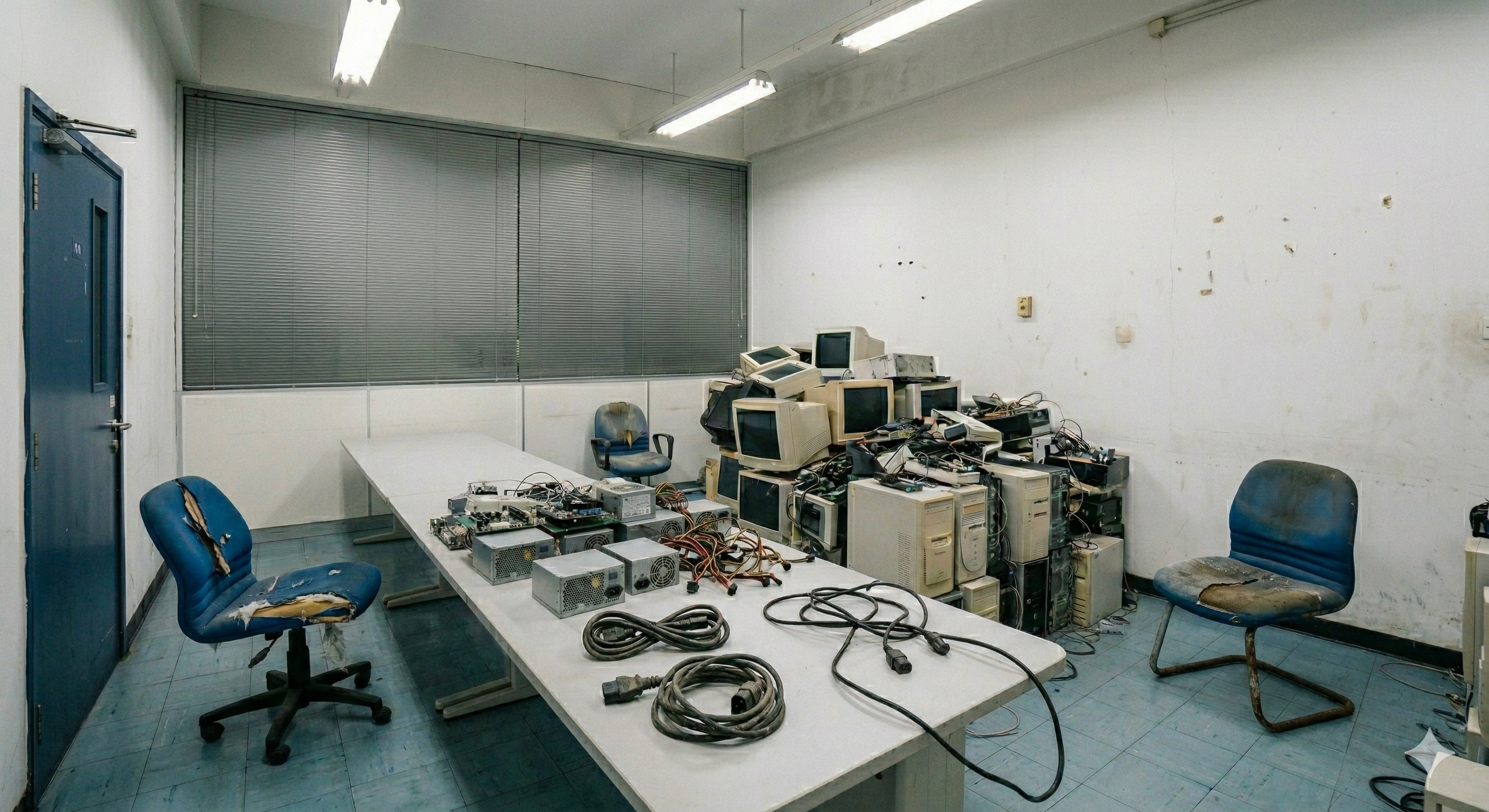
Την εικόνα την έφτιαξε το Gemini και είναι πιο ευγενική από την πραγματική. Δεν θυμάμαι αν είχαμε βγάλει φωτογραφία πριν. Αν βρω κάποια θα την βάλω.
Όσο για την επόμενη χρήση του τραπεζιού; Αυτή είναι άλλη ιστορία.
There was a book (An Introduction to Object Oriented Programming) by Tim Budd I read due to an assignment about SmallTalk. Budd had his own SmallTalk implemetation and book (A Little SmallTalk). Going through his work, I read The Kamin Interpreters in C++ (newer pdf version). But who is Kamin?
Sam Kamin has written Programming Languages: An Interpreter-Based Approach and I located it at the University library in the early 90s. For reasons, I was locked out of the laboratory with the PASCAL compiler and could not do homework, so I had this crazy idea, since the concepts between C and PASCAL seemed transferrable, I’d write a translator from PASCAL to C to complete my homework (I never did). Years later, I asked the child of a friend at the same University to borrow the book for me to have a peek, because it was out of print and hard to find. The author writes:
I occasionally am asked whether I intend to update this book. In fact, Norman Ramsey has expanded the book into a new edition, which should be published fairly soon. In the meantime, he has provided the pdf to some people; you can write to him at …@….
And I did. I asked for a copy of the draft if possible. I never got no for an answer, but checking my email, I see that I had been in contact with Norman Ramsey about this from 10/2009 to 10/2016. Well, Programming Languages: Build, Prove, and Compare got published in 10/2022 (what’s with October, me and this book?)
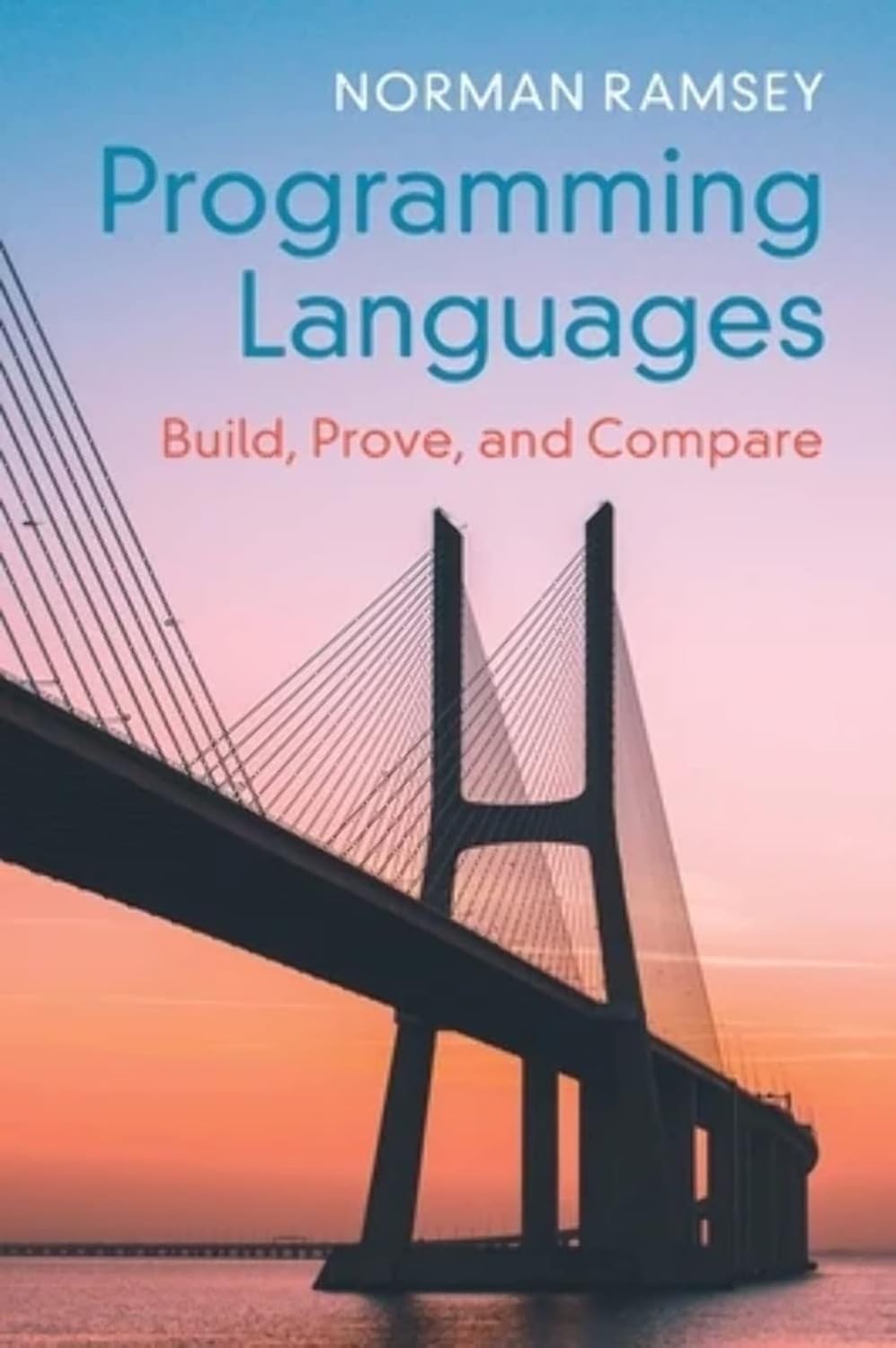
Today, a (second hand) hardback reached my desk. Closure.
Μια και πιάσαμε τις ιστορίες από τα παλιά, ακόμα ένα support horror story:
Μια μέρα έρχονται τα κορίτσια από το support και μου λένε κάτι σαν “έχουμε μια σειρά από συνδρομητές με το anti-virus [name withheld] και παραπονιούνται πως μετά το πιο πρόσφατο update, αφότου κάνουν κλήση dialup (ναι, τόσο παλιά ιστορία), δεν μπορούν να δουν τίποτε στο browser”.
Κατά τα συνήθη, “ΟΚ βρε παιδιά, αλλά αυτό δεν είναι δικό μας πρόβλημα”. Και ναι οι συνδρομητές αναγνώριζαν πως δεν είναι δικό μας πρόβλημα, αλλά επειδή ήμασταν μάλλον το μόνο support department που δεν τους είχε με χρονόμετρο, αλλά δείχνανε τα παιδιά ειλικρινή προσπάθεια να λύσουν οποιοδήποτε πρόβλημα, τους ρώταγαν και για αυτό, γιατί δεν έβρισκαν πουθενά αλλού να πουν τον πόνο τους.
Αρχίσαμε να σκεφτόμαστε πράγματα και να τους λέμε να κάνουν τα διάφορα προφανή (βγες και ξαναμπές, κάνε reboot, σβήσε το μηχάνημα, βγάλε και την πρίζα, κ.λπ.) χωρίς καμία λύση. Μέχρι που κάποια στιγμή μου κόβει και τους λέω “Ρωτήστε με κάποιον εύσχημο τρόπο αν έχουν πληρώσει για το πρόγραμμα, κάποιους που έχετε περισσότερο θάρρος”. Μαντέψτε. Μετά είπαν σε κάποιο που είχαν ακόμα περισσότερη άνεση αν μπορεί να αγοράσει μια άδεια. Και ως διά μαγείας το πρόβλημα λύθηκε.
Όχι δεν θα πω ποια εταιρία. Μπορεί να το έκανε επίτηδες, μπορεί και όχι. Μπορεί να ήταν ιδέα κάποιου βασιλικότερου του βασιλέως υπαλλήλου, μπορεί απλά να ήταν και ένα λαθασμένο if statement. Απλά συνέβη και έτσι λύθηκε.
Η δεύτερη ιστορία που υποσχέθηκα χτες:
Back in the day, οι συνδρομητές Internet της ΤΠ/ΤΕΕ μια μέρα, που ήταν και μέρα προθεσμίας, δεν μπορούσαν να συνδεθούν σε ένα σύστημα του ΙΚΑ. Δικαίως τα μπινελίκια πήγαιναν σύννεφο από τους χρήστες.
Μιλάμε με το ΙΚΑ: “Παιδιά, όλα καλά εδώ, στη μεριά σας είναι το πρόβλημα. Όλοι οι άλλοι συνδέονται χωρίς πρόβλημα”.
Μιλάμε με τον ΟΤΕ: “Παιδιά όλα καλά εδώ και είναι μερικοί πελάτες σας, στην μεριά σας είναι το πρόβλημα”.
Προφανώς κι εμείς δεν πιστεύαμε πως είχαμε πρόβλημα αφού σε ΟΛΟ το υπόλοιπο Internet πηγαίναμε κανονικά.
Φυσικά και κανείς από όλους τους εμπλεκόμενους δεν είχε αλλάξει κάτι, οπότε όλοι κρατάγανε άμυνα.
Μετά από φιλότιμες προσπάθειες του ρουτερά μας, μαθαίνει πως το ΙΚΑ (το συγκεκριμένο project το έτρεχε ανάδοχος BTW και όχι το ΙΚΑ) είχε τρεις γραμμές σε ΑΛΛΟ provider και τους βαράει στο φιλότιμο και συνεργάζονται ΟΛΟΙ και ρίχνουμε μία μία τις γραμμές. Ε, ρίξανε μια γραμμή στο ΙΚΑ και το πρόβλημα εξαφανίστηκε. Δεν θυμάμαι ρε συ Michael Papadeas αν ήταν κανένα χαλασμένο βύσμα ή καλώδιο και απλά το πρόβλημα υπήρχε και έγινε αισθητό επειδή οι συνδρομητές μας πέφτανε μαζικά πάνω ή ήταν routing problem.
Τραβάτε να μου πείτε ποιανού το κεφάλι έπρεπε να πέσει τώρα που κόσμος θα πλήρωνε πρόστιμα γιατί το ΙΚΑ ήταν μη προσβάσιμο για ένα υποσύνολο χρηστών. Θυμάμαι μόνο πως βάλαμε τον πρόεδρο Αλαβάνο να ζητήσει, μετά τεχνικής ανάλυσης, από τον Διοικητή του ΙΚΑ παράταση μια μέρα για να μπορέσουν οι συνδρομητές μας να κάνουν την υποβολή. Δεν ξέρω τι έγινε μετά.
Α ναι, όλα αυτά Παρασκευή μεσημέρι.
Γιατί τα θυμήθηκα όλα αυτά; Επειδή ο υπουργός θέλει να πέσουν κεφάλια.
Έχω καιρό να ποστάρω και έγραψα δυο ιστορίες στο facebook, που είναι κρίμα να μείνουν εκεί μέσα. Η πρώτη είναι αυτή εδώ:
Από το 1997 έως και μετά το 2014 (δεν θυμάμαι ως πότε επειδή τότε αποχώρησα) ένα κρίσιμο σύστημα στο ΤΕΕ έτρεχε σε ένα Sun Ultra Enterprise 3000. Στο μεταξύ η Sun δεν υπήρχε πια, η Oracle δεν ενδιαφερόταν και ο ανάδοχος του software ζήταγε την μάνα του και τον πατέρα του για να κάνει μετάβαση σε νέο σύστημα.
Οπότε πορευόμασταν με ότι είχαμε μέχρι είτε να πεθάνει, είτε να προλάβουμε να βρούμε πόρους για αντικατάσταση.
Δυο φορές κόντεψε να πεθάνει. Μετά από ένα αναγκαστικό reboot (ναι το μηχάνημα πρακτικά επανεκκινούνταν μόνο αν υπήρχε πρόβλημα με το ρεύμα) αρνιόταν να εκκινήσει. Είχε 4 επεξεργαστές σε κάρτες των δύο. Ευτυχώς σε έναν τεχνικό από μια εταιρία που είχε ακόμα expertise σε αυτά τα μηχανήματα έκοψε να βγάλουμε την μια κάρτα και να δοκιμάσουμε και πήρε μπρος. Πρέπει να αποσύρθηκε κάποια στιγμή το 2016 με δύο επεξεργαστές, σωστά George Kotsolis?
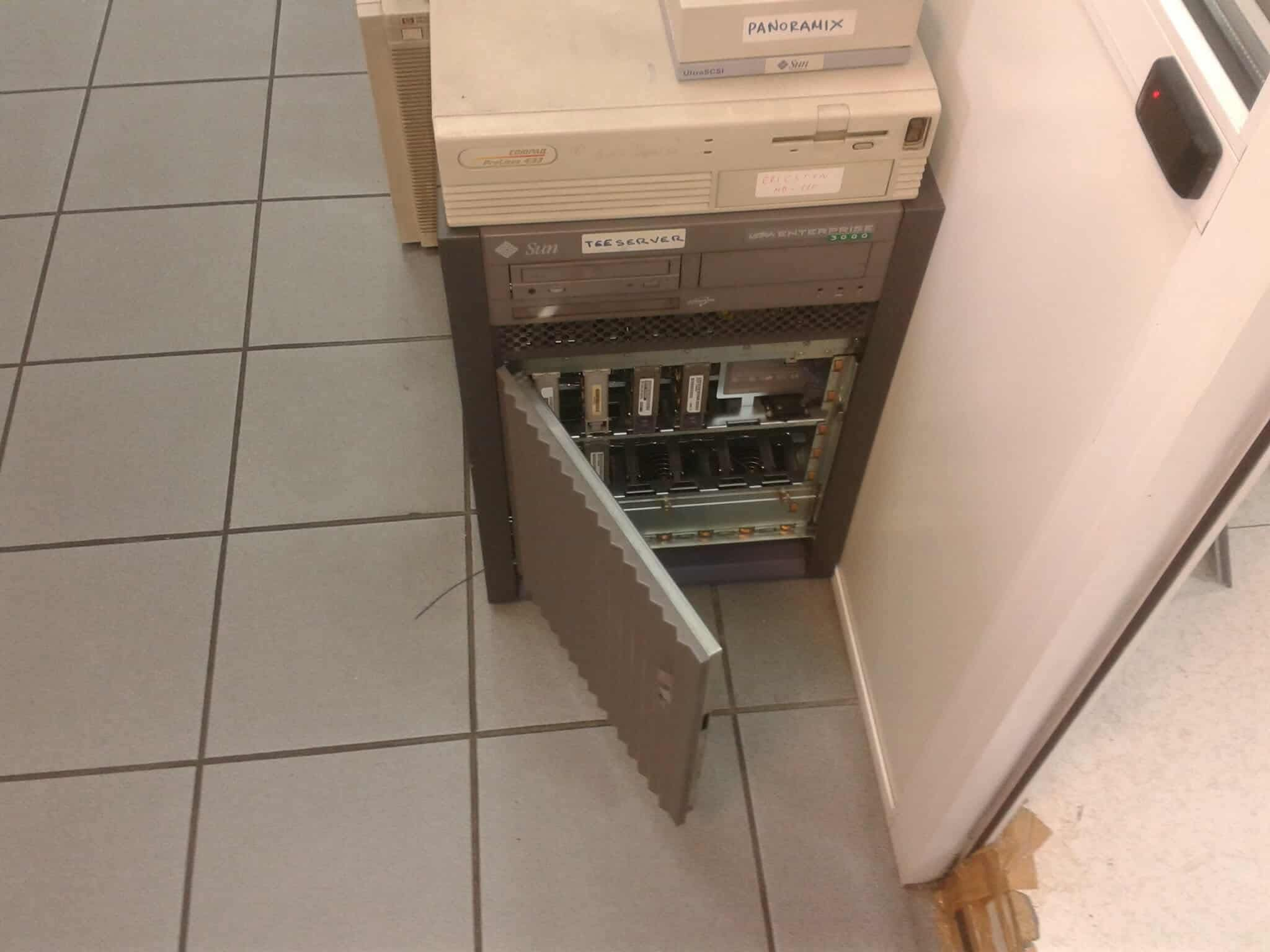
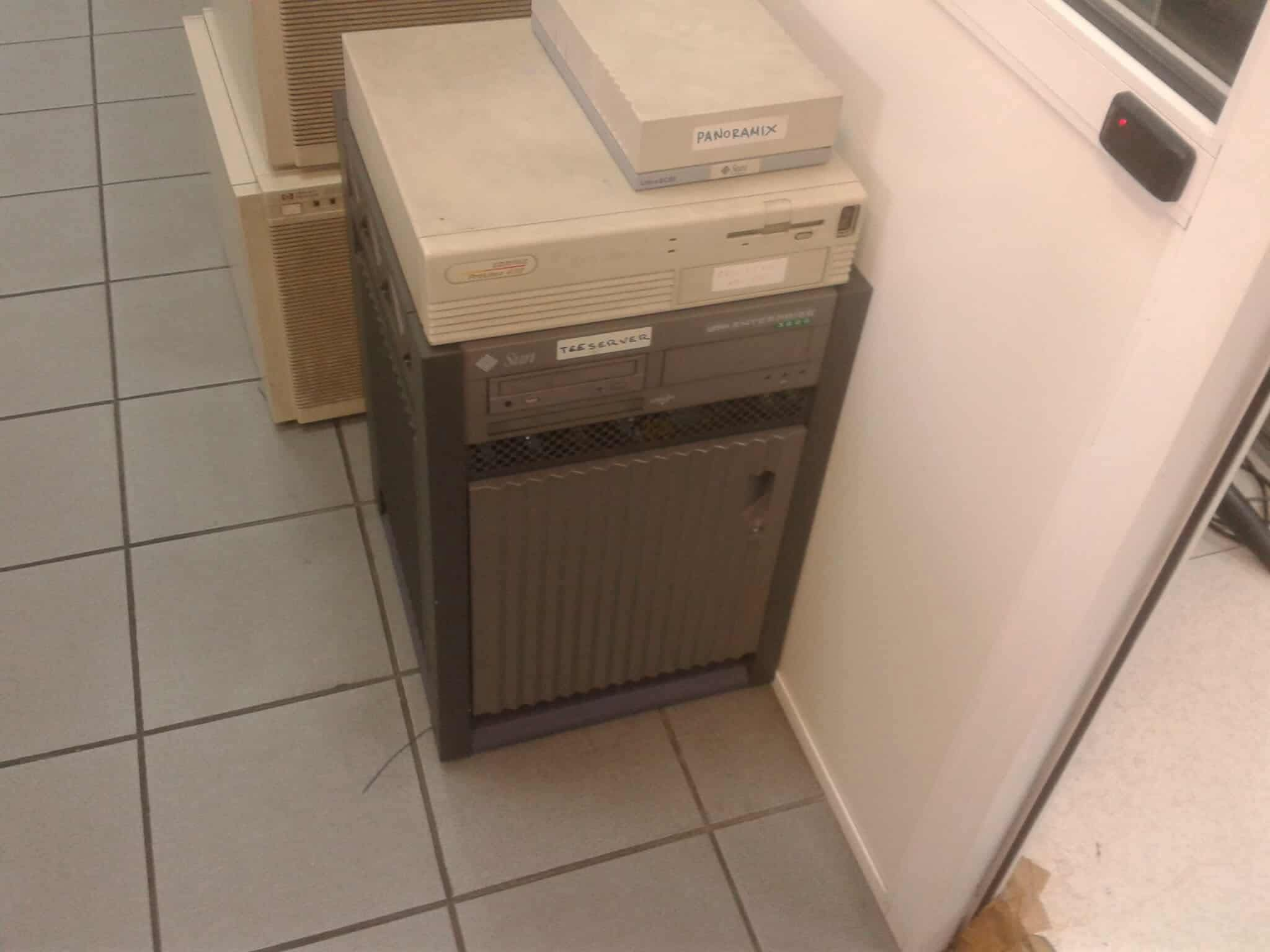
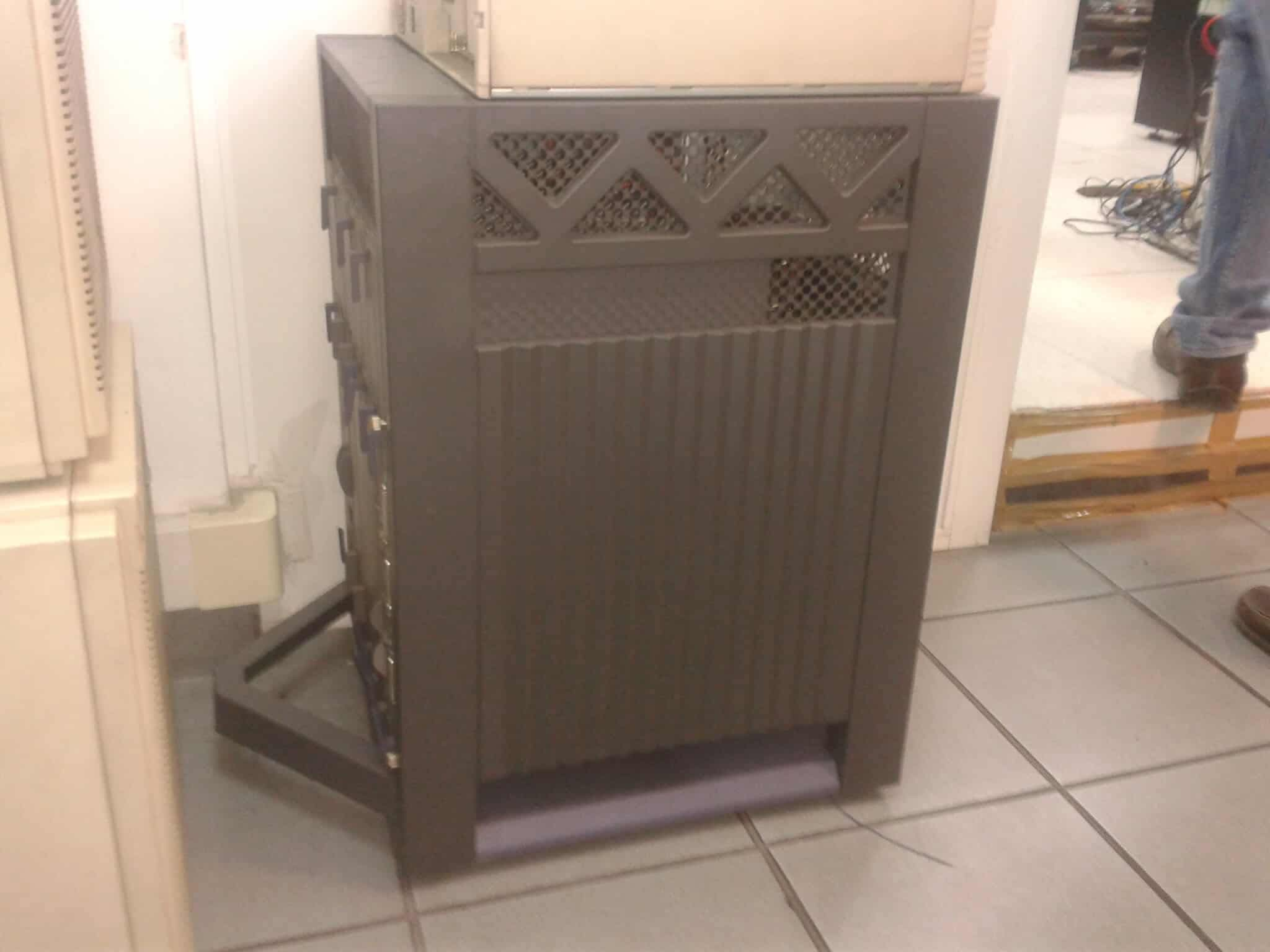
Και μια φορά ακόμα έσκασε ένας δίσκος σε ένα Ultra 1 βοηθητικό στις λειτουργίες του παραπάνω μηχανήματος και ευτυχώς (α) υπήρχε δίσκος να αντικατασταθεί και (β) δούλεψε το restore που πήρε δύο μέρες. Στο μεσοδιάστημα έμαθα περισσότερα από όσα ήθελα να ξέρω για το πως θα μπορούσε να γίνει emulation UltraSparc σε amd64 (υπήρχε software που έδινε η Sun και ένα μήνα πριν η Oracle το είχε καταργήσει, αλλά είχαμε κάπου τα ISO από επαγγελματική περιέργεια), που ήταν το plan b.
Θυμήθηκα την ιστορία από μια συζήτηση με τον Διομήδη Σπινέλλη. Οι φωτογραφίες είναι του Ντίνου Σ.
Αύριο η επόμενη ιστορία
Now that ingress-nginx is being retired, people are looking for alternatives. haproxy-ingress is a choice. In a previous post I had showed how one could have an Ingress object that is not linked to any service (leaving any required processing to the ingress controller)
apiVersion: networking.k8s.io/v1
kind: Ingress
metadata:
  name: not-nginx
  annotations:
    nginx.ingress.kubernetes.io/server-snippet: |
      return 302 https://new_web_server_here$request_uri;
spec:
  ingressClassName: nginx
  tls:
  - hosts:
    - old_name_here
    secretName: secret_name_here
  rules:
  - host: old_name_here
Unfortuneately, in the case of the haproxy-ingress the above won’t work. The Ingress object needs to be linked with a service, even if this service does not exist:
apiVersion: networking.k8s.io/v1
kind: Ingress
metadata:
  name: not-nginx
  annotations:
    haproxy-ingress.github.io/redirect-to: https://new_web_server_here
spec:
  ingressClassName: haproxy
  tls:
  - hosts:
    - old_name_here
    secretName: secret_name_here
  rules:
  - host: old_name_here
    http:
      paths:
      - path: /
        pathType: Prefix
        backend:
          service:
            name: no-service
            port:
              number: 80
You may want to user redirect-code-to if you want to set the 3xx code also.
A couple of years ago, a friend commented in a Slack that “there is no whiteboard / sketch application in macOS” readily available. Maybe there is and we did not know, but even at the time it was suggested that someting like https://jspaint.app might do the job. But the thing stayed at a corner of my mind.
About a week ago, I watched the ultimate introduction to pygame and the question returned. But now we also have LLMs to play some design and implentation ping pong and I started asking Claude a bit about that. And it was writing tons and tons of stuff where all was I wanted a bare whiteboard with no features at all. Something to (hand) draw lines on, no undo, no colors, not even a save image feature. And here is what I got:
import pygame
import sys
import argparse


options = argparse.ArgumentParser(description='Start a pygame window with configurable dimensions')
options.add_argument('--width', type=int, default=800, help='Window width (default: 800)')
options.add_argument('--height', type=int, default=600, help='Window height (default: 600)')
args = options.parse_args()

pygame.init()

screen = pygame.display.set_mode((args.width, args.height))
pygame.display.set_caption('pygame sketch')
clock = pygame.time.Clock()
a = (-1, -1)

screen.fill((250, 250, 160))
while True:
	for event in pygame.event.get():
		if event.type == pygame.QUIT:
			pygame.quit()
			sys.exit()

		if event.type == pygame.MOUSEBUTTONUP:
			a = (-1, -1)

	mouse_buttons = pygame.mouse.get_pressed()
	if mouse_buttons[0]:
		if a[0] == -1:
			a = pygame.mouse.get_pos()
		else:
			b = pygame.mouse.get_pos()
			pygame.draw.line(screen, 'red', a, b, 2)
			a = b

	pygame.display.flip()
	clock.tick(60)
I do not think I will make anything more with it. But it was a fun PoC , first time pygame application.

